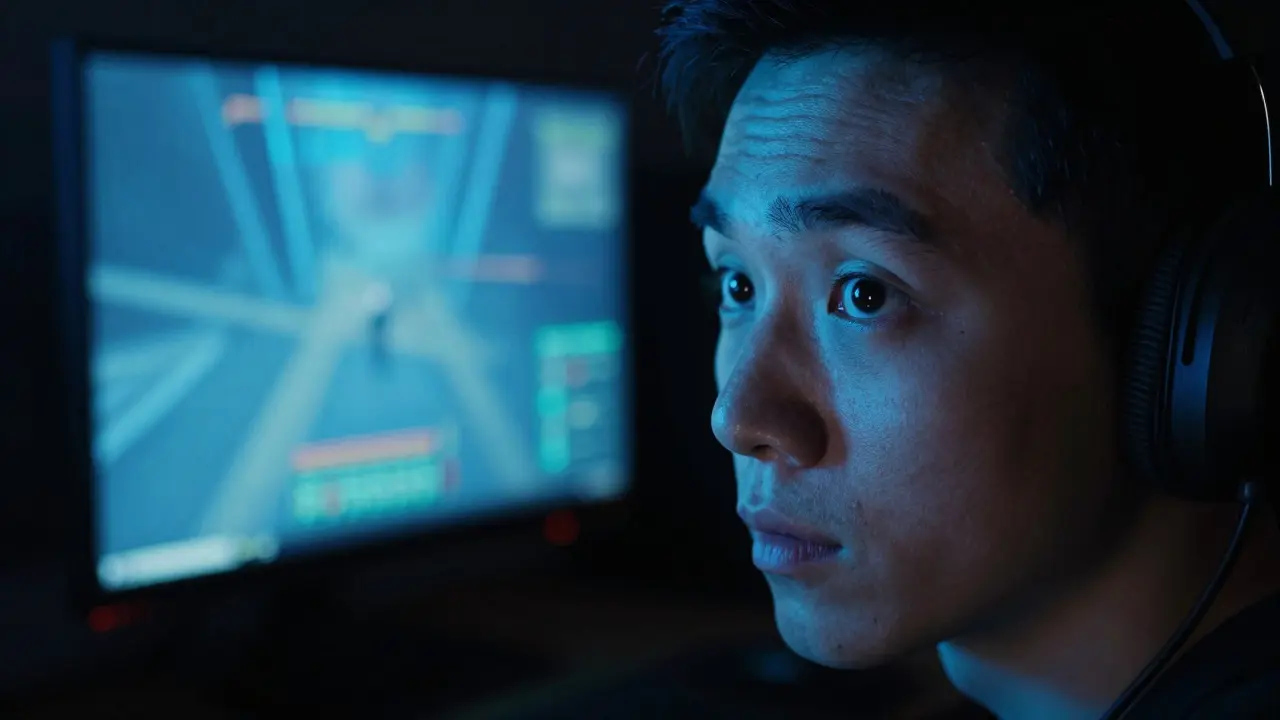
You finish a late-night session at 2:00 AM, eyes burning slightly, but you feel fine. You toss the phone or close the laptop, turn off the lamp, and expect to fall asleep in ten minutes. It doesn't happen. Your brain is still wide awake, scanning for threats or replaying the last boss fight. The culprit isn't just caffeine or stress; it's likely the blue light flooding your retinas from that high-refresh-rate monitor.
For millions of gamers who play after sunset, this is a daily battle. Understanding how screen light interacts with your biology can help you reclaim your sleep without giving up your hobby entirely.
The Biology of Darkness
To understand why screens keep you up, you first need to understand what darkness does for you. In the absence of bright light, your pineal gland produces a hormone called melatonin is a key regulator of the sleep-wake cycle that signals to the body that it is time to rest. This process is controlled by your circadian rhythm, an internal clock that runs on a roughly 24-hour cycle.
Your eyes contain specialized cells called intrinsically photosensitive retinal ganglion cells (ipRGCs). These cells are not responsible for vision in the traditional sense; instead, they detect ambient light levels. When these cells receive blue-spectrum light, they send a signal directly to the suprachiasmatic nucleus (SCN) in your hypothalamus. The SCN then tells the pineal gland to stop producing melatonin. Essentially, bright light acts as an "off" switch for your sleepiness.
Why Blue Light Hits Harder
Not all light affects your sleep equally. The spectrum of visible light ranges from red (long wavelength) to violet (short wavelength). Research consistently shows that shorter wavelengths, specifically in the 460-480 nanometer range, are most effective at suppressing melatonin. This is where blue light is high-energy visible light emitted by LED screens, smartphones, and modern lighting fixtures.
Modern gaming monitors and TVs use LED backlights that emit a significant amount of this specific frequency. Unlike older CRT monitors, which had less blue output, today's displays are brighter and sharper, often pushing more lumens through those short wavelengths. If you play at 10 PM with your room lights off and your screen brightness maxed out, you are essentially tricking your brain into thinking it is noon.

The Gamer’s Dilemma: Brightness and Distance
It’s not just about having a screen on; it’s about the intensity and distance. The impact of blue light on melatonin follows a dose-response relationship. A TV across the room has less impact than a smartphone held six inches from your face. However, because gamers often sit closer to their monitors than office workers do, and because they tend to crank up brightness to see details in dark corners of maps, the exposure is significant.
Consider two scenarios. First, you’re playing a competitive shooter at 11 PM. Your monitor is set to 100% brightness, and the room is pitch black except for the glow of the screen. Second, you’re playing the same game at 11 PM, but your monitor is dimmed to 30%, and you have a warm-colored floor lamp on in the background. In the first scenario, your ipRGCs are firing rapidly, keeping melatonin levels low. In the second, the contrast is reduced, and the overall lux level hitting your eyes is lower, allowing some melatonin production to resume.
Many gamers assume that if they aren't staring directly at the screen, they're safe. But peripheral vision matters too. The ipRGCs are distributed throughout the retina, so even indirect light from a glowing monitor contributes to the suppression effect. This is why "ambient lighting" is a critical part of sleep hygiene for night owls.
Practical Strategies for Night Gamers
You don’t have to quit gaming to get good sleep. You just need to manage your light exposure strategically. Here are actionable steps that work well for most players:
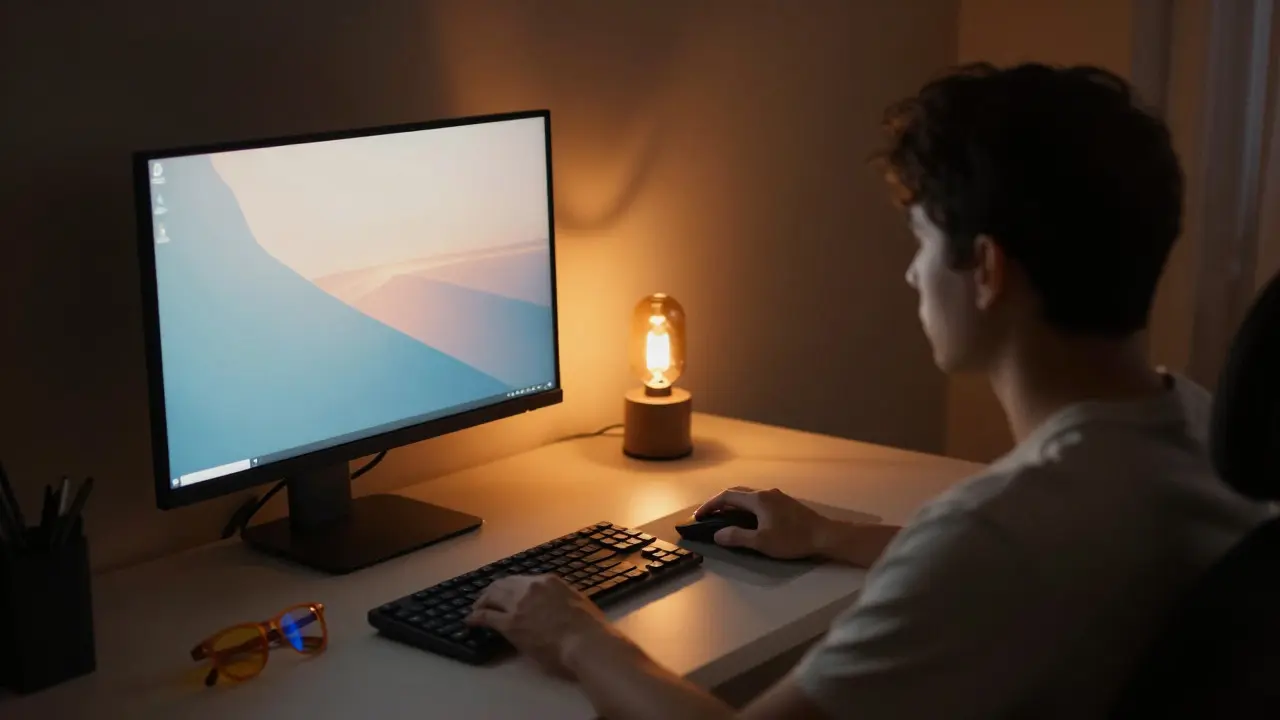
- Dim the Screen, Not Just the Room: Lower your monitor brightness to match the ambient light of the room. If the room is dark, the screen should be dim. Many monitors have a "night mode" or "eye care" setting that shifts the color temperature warmer (reducing blue output). Use it after 9 PM.
- Add Warm Ambient Light: Place a lamp with a warm white bulb (2700K or lower) behind or beside your desk. This reduces the stark contrast between the bright screen and the dark room, easing the strain on your eyes and reducing the relative intensity of the blue light spike.
- Use Blue-Light Blocking Glasses: While debated among scientists, many users report better sleep quality with amber-tinted glasses that block wavelengths below 500 nm. They act as a filter, reducing the amount of high-energy light reaching your ipRGCs. Think of them like sunglasses for nighttime.
- Set a "Digital Sunset": Try to end intense, high-stimulation gameplay at least one hour before bed. Switch to something passive, like reading a physical book or listening to music, to let your brain wind down. The visual stimulus is only half the problem; cognitive arousal is the other half.
- Watch Your Phone After Bed: If you check social media in bed, hold the phone farther away and turn on the built-in night shift feature. The proximity of phones makes them particularly potent suppressors of melatonin.
When Supplements Help (And When They Don’t)
Some gamers turn to melatonin supplements is an over-the-counter hormone used to treat sleep disorders and jet lag. Can you just take a pill to counteract the screen? Partially. Melatonin supplements can help reset your circadian phase if you’ve shifted your sleep schedule significantly, such as when traveling across time zones.
However, taking melatonin while still exposing yourself to bright blue light is fighting against your own biology. The light keeps telling your brain "it's day," while the pill says "it's night." This conflict can lead to grogginess the next morning. The supplement works best when paired with reduced light exposure. A common protocol is to take a low dose (0.5 mg to 3 mg) 30-60 minutes before bed, after turning off bright screens and using only dim, warm lighting.
Remember, melatonin is a signal, not a sedative. It doesn't force you to sleep; it tells your body it's okay to sleep. If your environment is screaming "stay awake," the signal gets drowned out.
Long-Term Health Implications
Chronic sleep disruption isn't just about feeling tired the next day. Poor sleep quality linked to high blue light exposure has been associated with increased risks of metabolic issues, including insulin resistance and weight gain. For competitive gamers, reaction time and decision-making skills also suffer when sleep-deprived, creating a vicious cycle where poor performance leads to longer sessions, which leads to worse sleep.
By managing your light environment, you protect your long-term health and potentially improve your in-game performance. Your brain consolidates memories and motor skills during deep sleep. If you're skipping that stage because your melatonin was suppressed by your monitor, you're leaving performance gains on the table.
Do blue light blocking glasses actually work?
They reduce the amount of blue light reaching your eyes, which can help lower melatonin suppression. While they aren't a magic fix, they are a useful tool, especially for people who cannot dim their screens or prefer bright rooms. Look for lenses that block wavelengths under 500 nm for the best effect.
Is OLED worse for sleep than LCD?
OLED panels often have higher contrast ratios, meaning blacks are truly black. This can make the bright pixels stand out more, potentially increasing the perceived intensity of blue light. However, both technologies emit similar amounts of blue light at the same brightness level. The key is managing overall brightness and color temperature, not just the panel type.
How much melatonin should I take?
Less is often more. Start with 0.5 mg to 1 mg. Higher doses (5 mg or more) can sometimes cause next-day grogginess or vivid dreams. Consult a healthcare provider before starting any supplement regimen, especially if you have existing health conditions.
Does window light matter if I'm gaming at night?
Yes. Moonlight and streetlights can also affect your circadian rhythm, though much less than artificial LED light. If you live near bright city lights, consider using blackout curtains to ensure your room is as dark as possible when you're ready to sleep, maximizing the effectiveness of your melatonin production.
Can I just rely on "Night Shift" mode on my computer?
It helps, but it's not enough on its own. Night Shift reduces blue light by shifting colors warmer, but if your brightness is still at 100%, the total light output remains high. Combine software settings with hardware adjustments (dimming the backlight) and environmental changes (warm ambient lamps) for the best results.