
You know the feeling. It’s 2 AM, you’re deep in a ranked match or exploring an open-world map, and your body feels like it’s turned into concrete. Your neck screams when you try to turn your head, your lower back throbs with every shift in the chair, and your wrists feel stiff as boards. You might dismiss it as just being tired, but for millions of gamers, this isn't temporary discomfort-it's the early warning sign of serious chronic pain conditions linked directly to extended gaming sessions.
This isn't just about sore muscles after a long day. When we talk about the physical toll of gaming, we're talking about real medical issues that can linger for years if ignored. Think of it like running a marathon without training. If you run ten miles today, you'll hurt tomorrow. But if you sit in a static, hunched position for eight hours every day for months, your joints and soft tissues start to degrade. The sedentary nature of modern gaming, combined with intense focus that makes us forget to move, creates a perfect storm for injury.
The Posture Trap: How Sitting Steals Your Health
Let’s get specific about what happens to your spine. Most gamers sit in chairs designed for office work, not for someone leaning forward intensely at a monitor. This leads to what physiotherapists call "upper crossed syndrome." Basically, your chest muscles tighten up because they're constantly engaged holding your arms forward, while your upper back muscles stretch out and weaken. Meanwhile, your head drifts forward, putting massive pressure on your cervical spine.
For every inch your head moves forward from its neutral position, the effective weight on your neck doubles. A ten-pound head becomes twenty pounds when tilted forward. Do that for six hours straight, and you're essentially carrying a bowling ball around your neck all day. This strain often radiates down into the shoulders and arms, causing headaches that don't respond to typical painkillers because the root cause is mechanical, not chemical.
Repetitive Strain Injuries: The Silent Killer of Gaming Performance
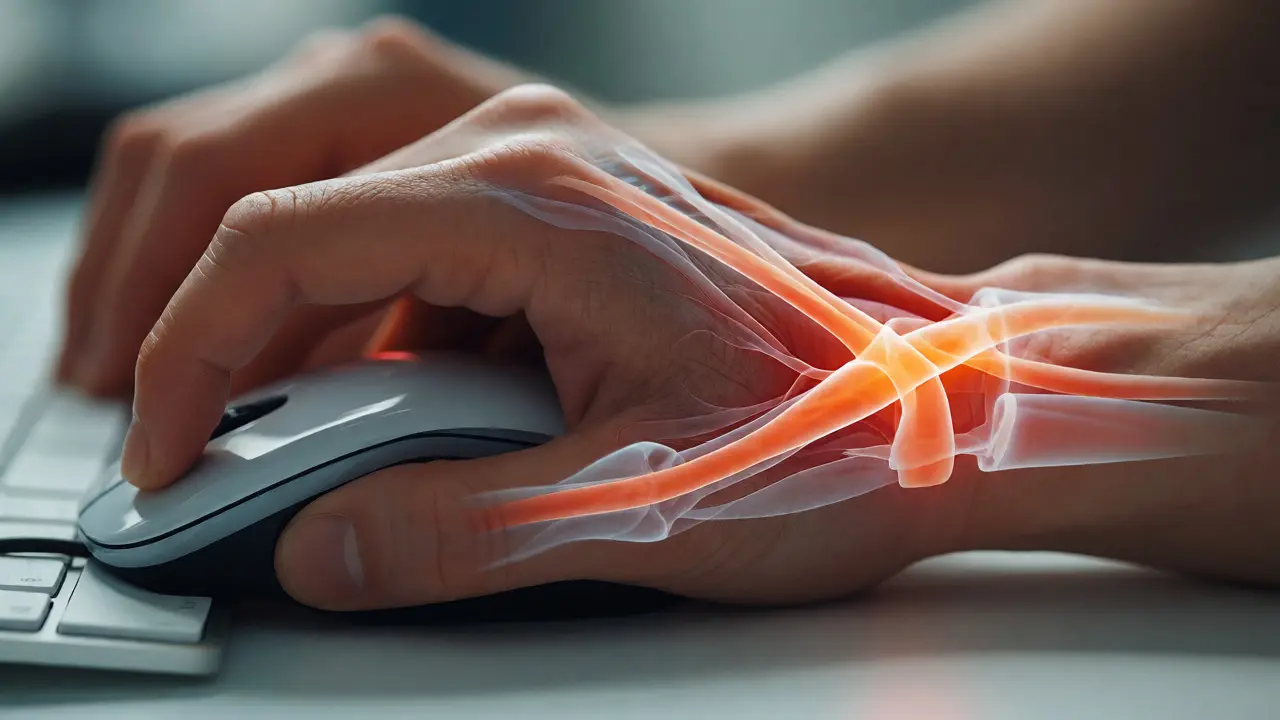
If posture affects your back and neck, repetitive strain injuries (RSI) target your hands and wrists. These are among the most common complaints in competitive gaming communities. RSI occurs when you perform the same small movements repeatedly without enough rest. Clicking a mouse thousands of times or tapping WASD keys non-stop puts stress on tendons and nerves that aren't built for that kind of endurance.
The most notorious culprits here are carpal tunnel syndrome and tendonitis. Carpal tunnel happens when the median nerve gets compressed in your wrist, leading to numbness, tingling, and weakness in your thumb and fingers. Tendonitis involves inflammation of the tendons themselves, often manifesting as sharp pain when gripping a controller or moving a mouse. What makes these conditions tricky is their gradual onset. You might ignore a slight tingle for weeks, only to find yourself unable to hold a mouse steady during a crucial fight.
| Condition | Primary Cause | Key Symptoms | Affected Area |
|---|---|---|---|
| Carpal Tunnel Syndrome | Nerve compression from wrist angle | Numbness, tingling, night pain | Wrist, Thumb, Index Finger |
| Tennis Elbow (Lateral Epicondylitis) | Overuse of forearm extensors | Pain outside elbow, weak grip | Elbow, Forearm |
| Tech Neck | Forward head posture | Stiffness, headaches, shoulder pain | Cervical Spine, Trapezius |
| Sciatica | Disc compression from sitting | Radiating leg pain, numbness | Lower Back, Glutes, Legs |
The Sedentary Cycle: Why Movement Matters More Than You Think
Gaming is inherently sedentary. Unlike sports or active hobbies, your body remains largely static while your brain works overtime. This lack of movement reduces blood flow to your muscles and joints. Blood carries oxygen and nutrients necessary for tissue repair. Without regular movement, these tissues become starved and inflamed.
Consider the impact on your hips. Prolonged sitting shortens the hip flexors-the muscles at the front of your hips that lift your legs. Tight hip flexors pull on your lower spine, exaggerating the curve of your back and contributing to lower back pain. At the same time, your glutes (butt muscles) go dormant because they aren't being used. This combination creates a pelvic imbalance that destabilizes your entire core, making your back do more work than it should.
It’s not just about muscles, either. Your intervertebral discs rely on movement to absorb nutrients. They don't have direct blood supply; instead, they act like sponges, soaking up fluid when you move and squeezing it out when you compress them. Sitting still for hours prevents this exchange, potentially accelerating disc degeneration over time.
Ergonomics: Setting Up Your Battle Station for Survival
You don't need a $1,000 chair to fix this, but you do need to be intentional about your setup. Ergonomics is the science of designing your environment to fit your body, not forcing your body to fit the environment. Here is a practical checklist to audit your current gaming station:
- Monitor Height: The top of your screen should be at or slightly below eye level. This keeps your neck neutral. If you look down, you strain your cervical spine.
- Chair Support: Use a chair with lumbar support to maintain the natural inward curve of your lower back. If your chair lacks this, roll up a towel and place it behind your lower back.
- Elbow Position: Your elbows should rest at roughly 90 degrees, close to your body. Reaching forward for your keyboard strains your shoulders and upper back.
- Foot Placement: Keep both feet flat on the floor. Dangling legs increase pressure on the underside of your thighs, which can restrict blood flow.
- Mouse Reach: Keep your mouse close. Reaching out for a wide-sweep aim puts constant tension on your shoulder stabilizers.
Don't underestimate the power of simple adjustments. Many gamers find relief simply by raising their monitor stack or lowering their desk. Experimentation is key because everyone’s anatomy is different. What works for a five-foot-four person might cause pain for someone who is six-two.
Mitigation Strategies: Breaking the Pain Cycle
Prevention beats cure every time. Incorporating micro-breaks and targeted exercises can significantly reduce the risk of developing chronic issues. The 20-20-20 rule is popular for eyes, but you need a physical equivalent. Try the 45-minute rule: every 45 minutes, stand up, stretch, and walk around for two minutes. This resets your circulation and breaks the static load on your spine.
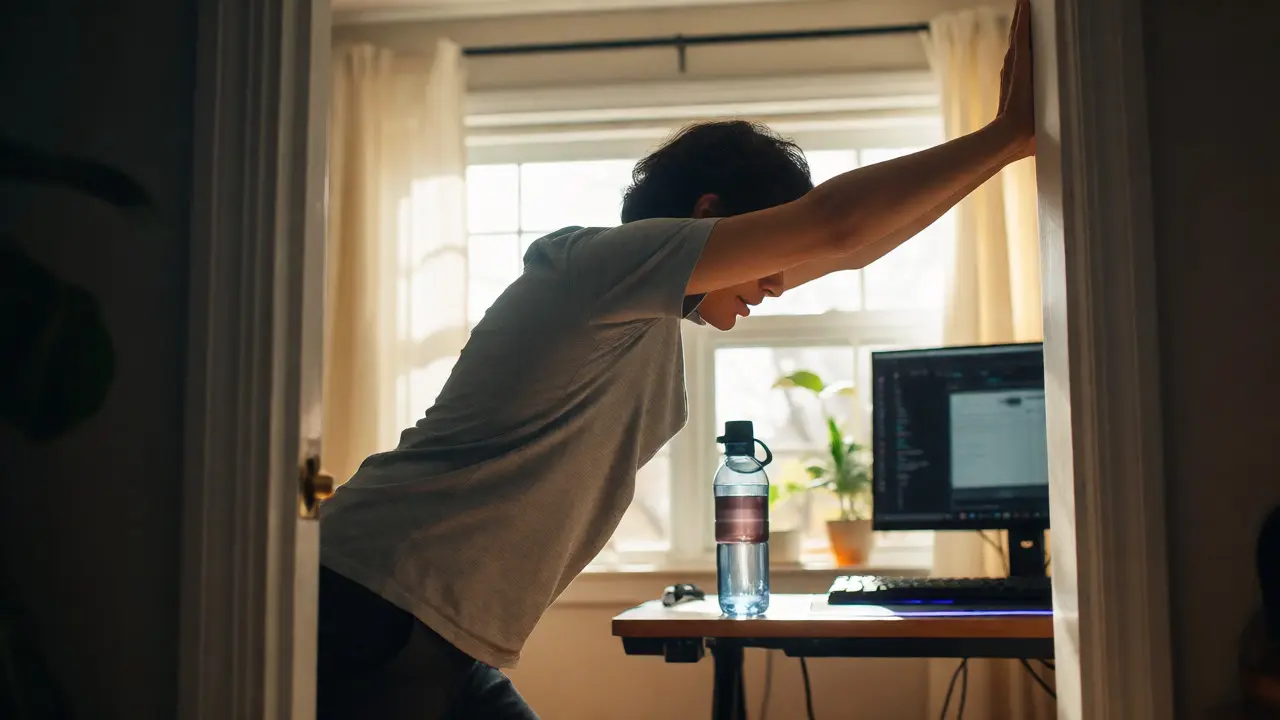
Specific stretches can counteract gaming postures. Chest openers help reverse rounded shoulders. Doorway stretches-where you place your forearms on a doorframe and lean forward-are excellent for opening up tight pectorals. For your wrists, gentle flexion and extension stretches can relieve tension before it turns into pain. Remember, stretching should never hurt. If you feel sharp pain, stop immediately.
Hydration also plays a surprising role. Discs and soft tissues require water to stay plump and functional. Dehydrated tissues are more prone to injury and slower to heal. Keeping a bottle of water at your desk isn't just good habit; it's maintenance for your spinal health.
When to See a Professional
Sometimes, self-care isn't enough. If you experience persistent numbness, weakness that affects your daily life, or pain that wakes you up at night, it’s time to see a doctor or a physical therapist. Early intervention can prevent minor strains from becoming permanent disabilities. Ignoring symptoms often leads to compensatory movements, where you change how you use your body to avoid pain, creating new problems elsewhere.
Physical therapists can assess your specific biomechanics and prescribe exercises tailored to your weaknesses. They might recommend ergonomic assessments or even temporary bracing to allow inflamed areas to heal. Don't wait until you can't play anymore to seek help. Treating the issue now keeps you in the game longer.
Frequently Asked Questions
Can gaming actually cause arthritis?
While gaming doesn't directly cause osteoarthritis (wear-and-tear arthritis), it can accelerate joint degradation in predisposed individuals. Repetitive stress and poor alignment increase friction and inflammation in joints like the wrists and knees. Over time, this chronic irritation can contribute to earlier onset of arthritic symptoms compared to those who remain active.
Is standing while gaming better than sitting?
Standing isn't automatically better. Standing for too long can cause varicose veins and lower back fatigue. The best approach is alternating between sitting and standing. If you use a standing desk, ensure your monitor height adjusts accordingly so you aren't tilting your head up or down excessively. Dynamic movement is more important than any single static position.
What is the best ergonomic mouse for preventing pain?
Vertical mice are often recommended because they keep your wrist in a handshake position, reducing pronation (twisting) of the forearm. Trackballs are another option, as they minimize arm movement entirely. However, the "best" mouse depends on your hand size and grip style. Test different shapes to find one that allows your wrist to remain neutral and relaxed.
How long does it take to recover from gaming-related RSI?
Recovery varies widely based on severity. Mild cases may resolve in a few weeks with rest and ergonomic changes. Moderate tendonitis might take three to six months of consistent rehabilitation. Severe nerve compression could require longer treatment or even surgery. Consistency in doing prescribed exercises and avoiding aggravating activities is the biggest factor in recovery speed.
Do controllers cause less pain than keyboards and mice?
Not necessarily. Controllers require sustained gripping force and fine motor control of thumbs and fingers, which can lead to trigger finger or thumb tendonitis. Keyboards and mice involve repetitive striking and clicking. Both input methods carry risks if used improperly. The key is varying your inputs if possible and taking frequent breaks regardless of the device.