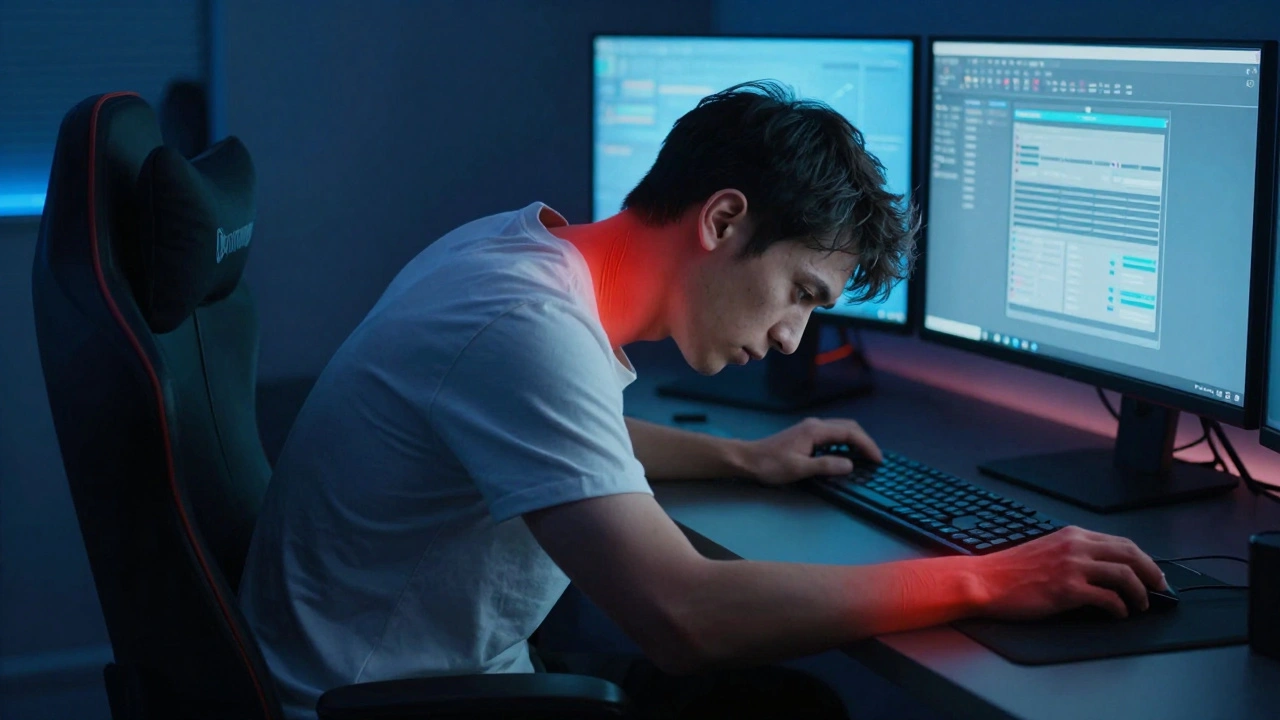
It starts with a stiff neck. Then your shoulders feel tight by noon. By the time you hit the evening commute, your eyes are burning, and your focus has shattered into pieces. You aren’t just tired; you are physically impaired by the way you spend your waking hours. For many of us, the line between leisure gaming and professional productivity has blurred to the point where our bodies pay the price. This is not just about "bad posture." It is a specific type of work impairment caused by prolonged screen exposure, repetitive micro-movements, and cognitive fatigue.
You might think this is a problem only for professional esports athletes. But if you play video games for more than two hours a day after working an eight-hour desk job, you are in the same risk category. The good news? You don’t need to quit gaming or change careers to fix it. You need Occupational Therapy (OT). Unlike physical therapy, which often focuses on injury recovery, OT focuses on function. It asks: How can you do what you love-gaming and working-without breaking down?
Understanding the Hidden Cost of Dual Screen Time
To fix the problem, we first have to name it correctly. Most people call it "tech neck" or "mouse arm." Occupational therapists use more precise terms. We look at Repetitive Strain Injury (RSI), Carpal Tunnel Syndrome, and Digital Eye Strain. These conditions develop slowly. They are cumulative.
Consider the mechanics. When you work at a computer, your wrists are extended. Your eyes focus on a fixed distance. Your body stays static. When you switch to gaming, especially on a console or PC with a controller or keyboard/mouse setup, you often lean forward. Your grip tightens. Your reaction times demand higher cognitive load. If you do this for six hours straight, your muscles enter a state of constant contraction. Blood flow decreases. Nerves get compressed. Over weeks, this leads to pain that interferes with typing accuracy, click precision, and even your ability to sleep.
The core issue isn't the technology itself. It's the lack of variation in movement. Humans are designed to move. Sitting still, whether for Excel spreadsheets or battle royales, violates that design. OT helps you reintroduce movement without sacrificing performance.
How Occupational Therapists Assess Gaming Habits
If you walk into an OT clinic complaining of wrist pain from gaming, they won't just wrap your hand. They will conduct a functional assessment. This involves looking at your entire daily routine. Here is what they typically analyze:
- Ergonomic Setup: Where is your monitor relative to your eye level? Is your chair supporting your lumbar spine? Are your elbows at a 90-degree angle when resting?
- Grip Mechanics: How hard are you holding the mouse or controller? Are you using your fingers, palm, or whole arm to aim?
- Cognitive Load Management: Do you take breaks? How does your stress level affect your muscle tension during high-stakes matches?
- Sleep Hygiene: Blue light from screens suppresses melatonin. Poor sleep reduces pain tolerance, creating a vicious cycle.
This holistic view is crucial. Fixing your wrist brace won't help if your chair is pushing your shoulders forward. Changing your mouse won't help if you never blink enough. OT addresses the system, not just the symptom.
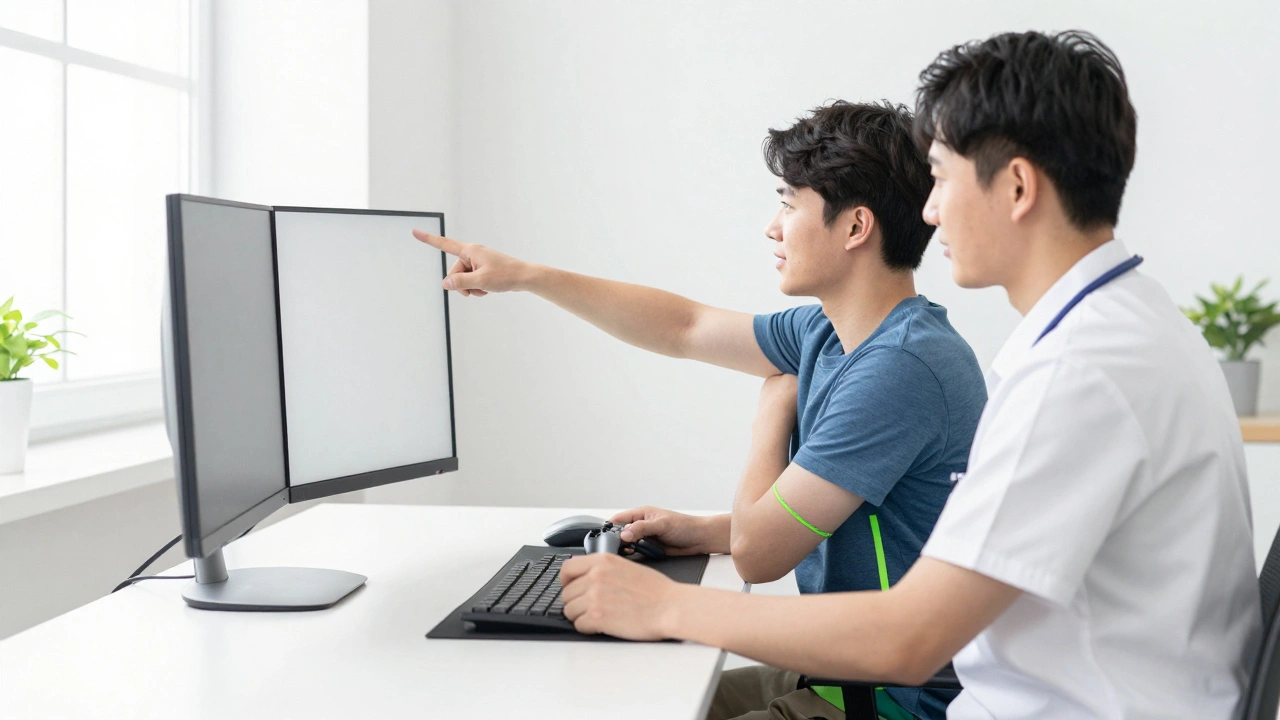
Practical Interventions: From Desk to Controller
So, what does actual treatment look like? It’s less about exercises in a gym and more about tweaking your environment and habits. Here are the most effective strategies OTs recommend for gamers who also work remotely or in offices.
1. Ergonomic Optimization
Your setup is your foundation. An OT will likely suggest these adjustments:
- Monitor Height: The top of your screen should be at or slightly below eye level. This keeps your neck neutral.
- Arm Support: Use armrests so your shoulders relax. If you game on a couch, consider a lap desk with wrist support.
- Input Devices: Vertical mice can reduce forearm rotation strain. Lightweight controllers reduce grip fatigue. Mechanical keyboards with lighter actuation forces require less finger pressure.
2. Micro-Break Protocols
The 20-20-20 rule is famous for eye strain: every 20 minutes, look at something 20 feet away for 20 seconds. OTs expand this to include movement. Every hour, stand up. Shake out your hands. Roll your shoulders. Even thirty seconds of movement restores blood flow to compressed nerves.
3. Strengthening and Stretching
Weakness causes compensation. If your shoulder blades are weak, your upper traps take over, leading to neck pain. Simple exercises like scapular retractions (squeezing shoulder blades together) and wrist extensor stretches can prevent RSI. Do these before and after gaming sessions, not just when it hurts.
The Role of Cognitive Behavioral Strategies
Pain is not just physical. It’s neurological. Chronic pain sensitizes your nervous system. You start feeling discomfort even when tissue damage is minimal. Occupational therapists often incorporate Pain Neuroscience Education to help you understand this.
They might teach you mindfulness techniques to lower arousal during competitive play. High adrenaline increases muscle tension. Learning to breathe deeply during a match can keep your grip loose and your vision clear. This isn't woo-woo spirituality; it's biomechanics. Relaxed muscles move faster and recover quicker.
| Intervention Type | Primary Benefit | Best For | Limitations |
|---|---|---|---|
| Ergonomic Adjustment | Reduces mechanical strain on joints | Neck pain, shoulder tension | Requires initial investment in equipment |
| Micro-Breaks | Restores circulation, prevents stiffness | General fatigue, eye strain | Hard to maintain during intense matches |
| Strengthening Exercises | Builds resilience against overload | Preventing future RSI | Takes weeks to see results |
| Cognitive Techniques | Lowers muscle tension via nervous system regulation | Chronic pain, anxiety-induced clenching | Requires consistent practice |
When to Seek Professional Help
Not every ache needs a therapist. But there are red flags. If you experience numbness or tingling in your fingers, weakness in your grip, or pain that wakes you up at night, see a professional immediately. These are signs of nerve compression that won't resolve with stretching alone. Early intervention prevents permanent damage.
Find an OT who specializes in hand therapy or ergonomics. Ask them about their experience with tech workers or gamers. General PTs are great for post-surgical rehab, but OTs are experts in daily function. They speak your language. They know what a "frame rate" is and why latency matters. That shared context makes the advice actionable.
Building a Sustainable Routine
Recovery isn't a one-time fix. It's a lifestyle adjustment. Start small. Pick one change: adjust your chair height, buy a vertical mouse, or set a timer for hourly breaks. Master that. Then add another. Consistency beats intensity. Five minutes of stretching every day is better than an hour once a month.
Remember, your body is your most valuable asset. Whether you're closing a deal or closing out a tournament, you need it to perform. Occupational therapy gives you the tools to protect that investment. You don't have to choose between your passion and your health. With the right strategies, you can have both.
How long does it take for occupational therapy to help with gaming-related pain?
Most patients notice improvement within 2 to 4 weeks of consistent ergonomic changes and exercise. However, chronic conditions like severe carpal tunnel may take 3 to 6 months of dedicated therapy. The key is adherence to daily habits, not just clinical visits.
Can I continue gaming while undergoing occupational therapy?
Yes, usually. OT focuses on modifying how you game, not stopping it entirely. You may need to reduce session length or intensity temporarily, but complete abstinence is rarely necessary unless there is acute nerve damage.
What is the difference between physical therapy and occupational therapy for gamers?
Physical therapy often targets specific injuries like torn ligaments or post-surgical recovery. Occupational therapy looks at the whole person and their environment. OTs help you adapt your workspace and habits to prevent injury and improve function in daily tasks, including gaming and work.
Are vertical mice really worth it for preventing wrist pain?
For many users, yes. Vertical mice keep your forearm in a neutral handshake position, reducing supination strain. However, they require a learning curve for aiming precision. Try one for a week to see if your body responds positively.
How much does occupational therapy cost for non-injury related issues?
Costs vary by location and insurance. In the US, a single session can range from $100 to $200 without insurance. Many plans cover OT for diagnosed conditions like Carpal Tunnel Syndrome. Check with your provider to see if preventive care or ergonomic assessments are included.