
You’ve been grinding ranked matches for six hours straight. Your eyes are dry, your back aches, but you ignore it because you’re on a winning streak. What you don’t notice is that the air around you has turned stale. If you’re playing in a small bedroom with the door shut and no windows open, you’re essentially breathing recycled exhaust from your own lungs and your PC’s hot components. This isn’t just uncomfortable; it’s a slow drain on your cognitive performance and long-term lung health.
Most gamers obsess over frame rates and refresh rates but forget about their respiratory health. The reality is that poor ventilation leads to rising carbon dioxide (CO2) levels, which directly impacts your brain function before you even feel short of breath. Let’s break down why your current setup might be making you tired, dizzy, or prone to headaches, and how to fix it without spending a fortune on industrial HVAC systems.
The Invisible Enemy: Why Stale Air Hurts Performance
When you sit in a closed room, you consume oxygen and exhale carbon dioxide. In a well-ventilated space, this gas dissipates. In a sealed "battle station," it accumulates. Studies from institutions like Harvard’s T.H. Chan School of Public Health have shown that when indoor CO2 levels rise above 1,000 parts per million (ppm), decision-making abilities drop significantly. By 2,500 ppm, many people experience noticeable fatigue and reduced concentration.
Think about it: you need split-second reactions in a shooter game or complex strategy management in an RTS. If your brain is running on low-oxygen fuel, your reaction times slow down. You might blame lag, but often, it’s hypoxia-lite at work. Furthermore, volatile organic compounds (VOCs) off-gas from new plastic peripherals, RGB lighting strips, and even the dust heating up on your GPU fans. These chemicals irritate the mucous membranes in your nose and throat, leading to that scratchy feeling after a long session.
PC Heat and Humidity: A Toxic Combo
Your computer isn’t just processing data; it’s generating heat. A high-end gaming rig can output 400 to 800 watts of thermal energy under load. In a poorly ventilated room, this heat has nowhere to go. It raises the ambient temperature, which increases relative humidity if there’s any moisture source nearby (like a damp wall or even your own sweat). High humidity combined with warmth creates a breeding ground for mold spores and dust mites, both major triggers for asthma and allergies.
Dust is another silent killer. As your PC fans suck in air, they pull in particulate matter. If your filters aren’t cleaned regularly, this dust gets blown back into the room, circulating fine particles that penetrate deep into the lungs. Over time, chronic exposure to elevated PM2.5 (fine particulate matter) indoors is linked to reduced lung capacity and increased risk of respiratory infections. You’re essentially turning your PC into a inefficient air purifier that redistributes dirt rather than removing it.

How to Measure Your Air Quality
You can’t smell CO2, so you can’t rely on your nose to tell you when the air is bad. You need data. Buying a dedicated monitor is the best first step. Look for devices that measure three key metrics: CO2, Volatile Organic Compounds (VOCs), and Temperature/Humidity. Brands like Awair or Qingping offer affordable sensors that connect to your phone via Bluetooth or Wi-Fi.
| Metric | Safe Zone | Warning Zone | Hazard Zone |
|---|---|---|---|
| CO2 Level | < 800 ppm | 800-1,500 ppm | > 1,500 ppm |
| Relative Humidity | 30%-50% | 50%-60% | > 60% or < 30% |
| Temperature | 68°F-72°F | 73°F-78°F | > 78°F |
If your monitor shows CO2 creeping past 1,200 ppm during a session, your ventilation is failing. You don’t need to panic, but you do need to act. Opening a window for ten minutes every hour can reset these levels dramatically. It’s a simple habit change that yields immediate cognitive benefits.
Ventilation Strategies for Small Spaces
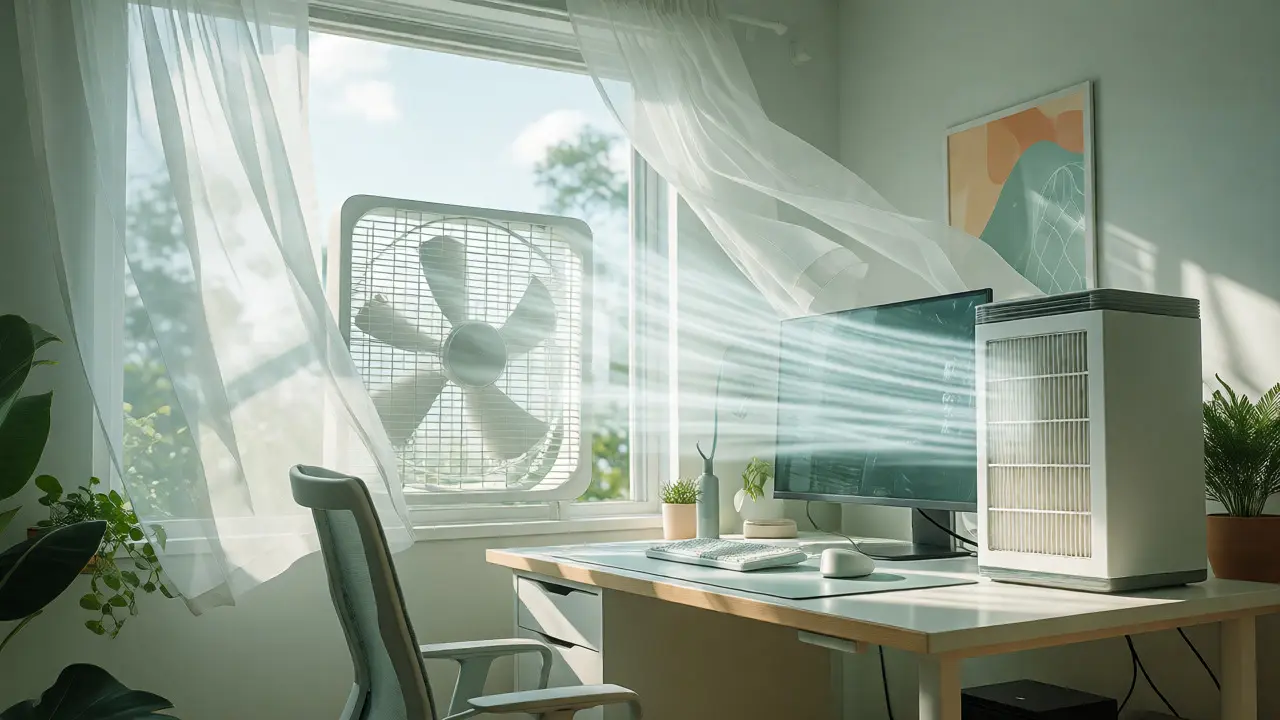
Not everyone lives in a house with central air conditioning. For apartment dwellers or those using bedrooms as offices, cross-ventilation is key. Open two windows on opposite sides of the room to create a draft. If you only have one window, use a box fan in the window blowing outwards to push stale air out, while leaving the door cracked to let fresh air in. This creates negative pressure, pulling clean air from the rest of the home into your gaming den.
Air purifiers are another tool, but choose wisely. HEPA filters capture dust and pollen but do nothing for CO2 or gases. Activated carbon filters help with VOCs and odors but saturate quickly. For a gaming setup, look for a hybrid unit with both HEPA and activated carbon layers. Place it near your PC intake, not just near your face. You want to filter the air before it enters your lungs, but also before it clogs your PC components.
- Cross-Ventilation: Use opposing openings to maximize airflow efficiency.
- Exhaust Fans: Point fans outward to remove hot, stale air rather than just circulating it.
- Regular Cleaning: Dust filters monthly to maintain airflow and reduce particulate recirculation.
Long-Term Respiratory Habits for Gamers
Beyond hardware fixes, your behavior matters. Many gamers hold their breath during intense moments-a phenomenon known as "screen apnea." This reduces oxygen intake and spikes stress hormones. Practice conscious breathing. Take deep diaphragmatic breaths between rounds. This not only oxygenates your blood but also helps regulate your heart rate, keeping you calm under pressure.
Hydration plays a role here too. Dry air from heated rooms or excessive AC dries out your nasal passages, which are your body’s first line of defense against pathogens. Keep a water bottle nearby and consider a humidifier if your room stays below 30% humidity. Aim for that sweet spot of 40-50% humidity to keep mucous membranes moist and effective.
Does my PC actually make the air dirty?
Yes, indirectly. While the PC doesn't emit toxic fumes itself, its fans circulate existing dust and allergens in the room. Additionally, hot components can cause certain plastics and adhesives in older electronics to off-gas slightly more volatile organic compounds (VOCs) than when cold.
How often should I ventilate my gaming room?
For optimal health and performance, aim to exchange the air in your room every 60 to 90 minutes. If you are in a small, enclosed space, doing this every 45 minutes is better. Even cracking a window for 5 minutes can lower CO2 levels significantly.
Can poor ventilation cause headaches?
Absolutely. Elevated CO2 levels are a common trigger for tension headaches and migraines. Combined with eye strain and dehydration, stale air creates a perfect storm for post-gaming headaches.
Do plants help with gaming room air quality?
Plants absorb small amounts of CO2 and release oxygen, but the effect is negligible in a typical room unless you have a jungle worth of foliage. They are great for humidity regulation and mental well-being, but don't rely on them to fix serious ventilation issues.
What is the ideal humidity level for a gaming setup?
Between 30% and 50%. Below 30%, static electricity risks increase, and your sinuses may dry out. Above 50%, you risk condensation on metal components and mold growth on fabrics and walls.